
LiftMaster & Chamberlain Garage Door Opener Reset: Step-by-Step (Including Wall-Mount Models)
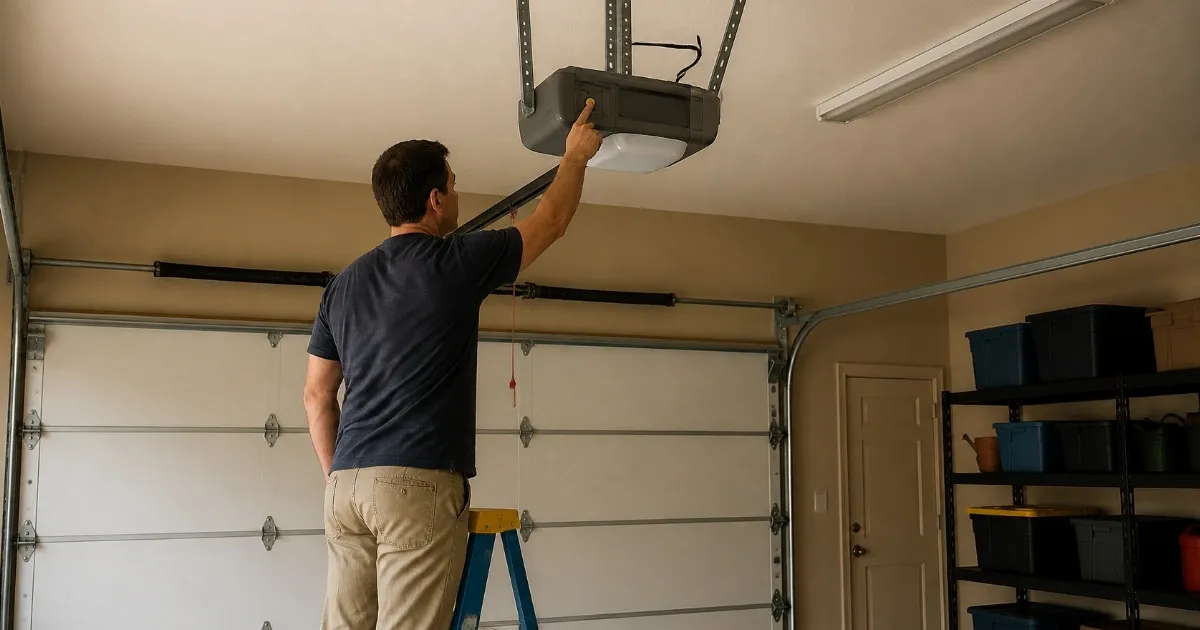
LiftMaster and Chamberlain are made by the same company and reset the same way. There are four different "resets," and most people only need the first one:
- Power cycle: unplug the opener for about 30 seconds and plug it back in. It clears a frozen board and erases nothing. Try this first.
- Erase remotes and keypads: press and hold the Learn button on the motor unit until the small LED beside it goes out, about 6 seconds. Every remote, keypad and car button is wiped, and you reprogram the ones you keep.
- Reset the travel limits: on newer models, press and hold the Adjustment button until the UP arrow flashes, then set the open and closed positions with the arrows. Use this when the door stops short or reverses at the floor.
- Wi-Fi (myQ) reset: clears the opener's network settings when you change routers or sell the house.
If your remotes quit but the wall button still works, check the Lock button on the wall control before you reset anything. Below are the exact steps for each, what is different on wall-mount (side-mount) models like the 8500W, 98022 and 98032, and when a reset isn't the fix.
LiftMaster and Chamberlain openers are in more East Valley garages than any other brand we work on, from builder-grade chain drives in older Mesa homes to belt drives with myQ and battery backup in newer Gilbert and Queen Creek builds, and a growing number of wall-mount units beside the door. When one acts up, a reset is often the quickest fix and something you can do yourself in a few minutes. The catch is picking the right one: the wrong reset erases every remote in the house, or leaves a door that no longer stops where it should. This guide walks through each one in the order we would try them.
- Which reset do you need?
- Before you reset: 5 quick checks
- How to power-cycle a LiftMaster or Chamberlain
- How to erase all remotes and keypads
- Reprogramming remotes, keypads and car buttons
- How to reset the travel limits
- Wall-mount (side-mount) openers: 8500, 8500W, 98022, 98032
- myQ and Wi-Fi reset
- What the flashing lights mean while you reset
- When the Arizona heat is the real problem
- Reset or repair? Three quick questions
- FAQs
Which Reset Do You Need?
"Reset" covers four unrelated procedures. Match your problem to the row below before you press anything.
| What's happening | The reset to use | What it erases |
|---|---|---|
| Opener dead, frozen or acting strange after a power blip | Power cycle | Nothing |
| Remotes stopped, wall button still works | Check Lock mode and the battery first, then reprogram the remote | Nothing |
| Lost or stolen remote, new house, or the opener won't accept a new remote | Erase remotes and keypads | Every remote, keypad and car button |
| Door stops short, won't close all the way, or reverses at the floor | Travel limits (after checking the sensors) | Open and closed positions, which you set again |
| New router, new Wi-Fi password, or selling the house | Wi-Fi (myQ) reset | Network settings (a full factory reset also erases remotes) |
If you're not sure which you need, start at the top. A power cycle costs you nothing, and our all-brand guide to the three kinds of reset goes deeper on why they're so different.
Before You Reset: 5 Quick Checks
A good share of the "my opener needs a reset" calls we take turn out to be one of these. Each takes a minute.
- Lock mode on the wall control. Most LiftMaster and Chamberlain wall controls have a Lock button (sometimes a padlock icon). When it's on, the opener ignores every remote on purpose. The signs: the opener lights flash twice when you press a remote, and the light on the wall control blinks. Press and hold Lock until the blinking stops, then try the remote. Kids, guests and cleaning crews switch this on more often than you'd think.
- The remote battery. Most LiftMaster and Chamberlain remotes take a 3-volt CR2032 coin cell. In a car parked outside in a Mesa summer, that battery fades fast. Swap it before you reprogram anything.
- The safety sensors. The two small eyes near the floor on either side of the door must see each other. If the door goes up but won't come down, it's almost always the sensors, not the programming. Our yellow and green sensor light guide covers what each light means.
- Power to the opener. If nothing lights up, check the outlet with a lamp and look for a tripped GFCI outlet or breaker in the garage.
- The emergency release. If someone pulled the red release cord, the motor runs but the door doesn't move. On a ceiling opener, pull the handle straight down once and run the opener: the trolley reconnects on the next up or down trip.
How to Power-Cycle a LiftMaster or Chamberlain
This is the safe reset. It erases nothing, and it clears a board that froze after a brownout or a monsoon power flicker.
- Close the door if you can, so it isn't hanging open while the opener is off.
- Unplug the opener from the ceiling outlet, or switch off the breaker that feeds it if you can't reach the plug safely. Use a proper step ladder, not a bucket or the car.
- Wait about 30 seconds, then plug it back in. The work light may flash and the unit may click as it starts up. That's normal.
- Test from the wall button first, then a remote. If both work, you're done. Nothing needs reprogramming.
After a power outage, most LiftMaster and Chamberlain openers come back on their own with remotes and limits intact. If you opened the door by hand during the outage, pull the release handle straight down once and run the opener to reconnect it.
How to Erase All Remotes and Keypads
Do this when you've just bought the house and don't know who else has a remote, when one has been lost or stolen, or when the opener refuses to take a new remote. There's no way to remove a single remote from the motor unit: it's all or nothing.
- Gather every remote and keypad you plan to keep before you start, so you can reprogram them right after.
- Find the Learn button on the motor unit. On ceiling openers it's on the back or side panel, sometimes under the light lens, beside the antenna wire. On most wall-mount openers it's on the unit beside the door. It is not on the wall control, with one exception: the original LiftMaster 8500 (see the wall-mount section).
- Press and hold the Learn button until the small LED next to it goes out, about 6 seconds. Chamberlain's manuals say 6 to 9 seconds; keep holding until the light is off.
- Release it. Every remote, wireless keypad and car HomeLink button paired to the opener is now erased. Test a remote: it should do nothing.
- Reprogram what you're keeping using the next section.
Reprogramming Remotes, Keypads and Car Buttons
The Learn button has two jobs: hold it to erase, press and release it to add a device. Mixing those up is the most common reason a reprogram goes wrong.
Remote control
- Press and immediately release the Learn button. The LED beside it glows steadily for about 30 seconds.
- Within that window, press and hold the remote button you want to use until the opener lights blink or you hear two clicks.
- Release and test. Repeat for each remote, pressing Learn again if the 30 seconds run out.
Our step-by-step LiftMaster remote guide covers the remote models that match each Learn button color.
Wireless keypad
- Press and release the Learn button on the motor unit.
- Within 30 seconds, enter a new 4-digit PIN on the keypad and press Enter. Hold Enter until the opener lights blink or you hear two clicks. Some models, like the 877MAX, ask you to pick the opener type first; the steps are printed inside the keypad cover.
- Test it from outside with the door closed.
Forgot the PIN? You don't need the old one. Program the keypad again with a new PIN using the steps above. If you're worried someone else knows the old code, erase the opener's memory first so it's gone for good. More keypad fixes are in our keypad troubleshooting guide.
Car buttons (HomeLink)
A memory erase removes your car's built-in buttons too. Program the car button from a working remote first, then press the opener's Learn button and press the car button within 30 seconds to finish the rolling-code handshake. Our HomeLink programming guide walks through it car by car.
How to Reset the Travel Limits
Travel limits tell the opener where "fully open" and "fully closed" are. If the door stops a few inches short, leaves a gap at the floor, or hits the floor and bounces back up, the limits may have drifted. Check the safety sensors first: a blocked sensor causes the same reversal, and resetting limits won't fix it.
These steps are for the Security+ 2.0 and myQ models with an Adjustment button and UP and DOWN arrow buttons on the side or back of the motor unit, which covers most LiftMaster and Chamberlain openers sold since about 2011.
- Make sure the door is connected to the opener (not released) and the path is clear.
- Press and hold the Adjustment button until the UP arrow starts to flash or you hear a beep.
- Press and hold the UP or DOWN arrow to move the door to where you want it to stop when open.
- Press and release the Adjustment button. The lights flash twice and the DOWN arrow starts to flash. The open position is saved.
- Press and hold the arrows to move the door down until it just meets the floor.
- Press and release the Adjustment button. The lights flash twice and the UP arrow flashes. The closed position is saved.
- Press and release the UP arrow. The door runs to the open position. Then press and release the DOWN arrow; the door runs closed. The opener learns how much force it needs on these two trips, and programming is done.
If the lights flash 5 times, the routine timed out; start again. If they flash 10 times (or the sensor lights are out on post-2022 models), the safety sensors are blocked or misaligned; fix them, run the door up and down once, and try again.
Older openers with screw dials or slider limits (usually pre-2011, with a red, orange, purple or green Learn button) are set by turning adjustment screws on the side of the unit a little at a time. It's doable, but each turn moves the limit a few inches and it's easy to overshoot. If the door is also heavy, noisy or uneven, the opener is often compensating for a spring problem, and that's worth having us check before anyone turns up the force.
Wall-Mount (Side-Mount) Openers: 8500, 8500W, 98022, 98032
A wall-mount opener, also called a side-mount or jackshaft opener, sits on the wall beside the door and turns the spring tube directly. There's no rail across the ceiling and no trolley. LiftMaster's older 8500 and 8500W and the newer 98022 and 98032 are the ones we see most in East Valley garages, usually where there's a high ceiling, a storage lift, or a car lift in the way.
The good news: the resets are almost the same as a ceiling opener. The differences:
- Power cycle: same as above. Unplug the unit beside the door for 30 seconds. Many wall-mounts have battery backup, so disconnect the battery too if it keeps running.
- Erase and reprogram remotes (8500W, 98022, 98032): the Learn button is on the wall-mount unit itself, usually behind a cover or next to the light. Same press-and-release to add, hold until the LED goes out (about 6 seconds) to erase.
- The original 8500 is different: its radio lives in the wall control by the door (the 888LM or 889LM panel), not the motor unit. Flip up the panel's push bar to find its Learn button. To add a remote, press and release that Learn button twice (the LED comes on), then press the remote button. To erase, press and hold the panel's Learn button until its LED goes out. The Learn button on the 8500's motor unit is only for setting travel limits and force.
- Travel limits: the 8500W manual uses the same Adjustment-button routine: hold Adjustment until the UP arrow flashes, run the door up, press Adjustment, run it down, press Adjustment. The unit then opens and closes the door on its own to set the force, and three beeps mean it worked. One long beep means it didn't; start over.
- Manual release: there's no trolley to reconnect. The release is a handle on the unit, and the label on it shows how to re-engage. If the motor runs but the door doesn't move, it's still disengaged.
- The automatic deadbolt: many wall-mount installs include a motorized lock on the door track. If the opener runs but the door won't lift, or the opener stops right away, check that the lock retracted.
"How do I reset my side-mount opener?" is a question we get on the phone. Try it in the order above: power cycle, then the release and the deadbolt, then remotes or limits.
myQ and Wi-Fi Reset
Openers with the myQ logo keep their Wi-Fi settings separately from the remotes. You'll need to touch them when you change routers or Wi-Fi passwords, or when you sell or buy a house.
- New router or password: clear the old Wi-Fi settings on the opener, then add it again in the myQ app. myQ openers connect on 2.4 GHz; if your router only shows a combined network, that's often why setup fails.
- "Offline" in the app: power-cycle the opener (unplug for 30 seconds), then check the app again before you reset anything.
- Full factory reset (selling the house, or a clean start): press and hold the Learn button until its LED goes out, then immediately do it a second and a third time. Three quick beeps confirm it. This erases all remotes, keypads, myQ accessories and Wi-Fi settings, so reprogram everything afterward.
- White Learn button (2025 and newer): removing the opener from the myQ account in the app clears its Wi-Fi credentials without a full factory reset.
What the Flashing Lights Mean While You Reset
The opener talks back through its work lights and the LED by the Learn button. These are the ones you'll see during a reset:
| What you see | What it means | What to do |
|---|---|---|
| Lights flash twice when you press a remote | Lock mode is on | Hold Lock on the wall control until it stops blinking |
| Lights flash 5 times while setting limits | The limit routine timed out | Start the Adjustment steps again |
| Lights flash 10 times | Safety sensors blocked or misaligned | Clean and line up the sensors, then retry |
| Learn LED stays off after you hold it | Memory erased (that's the confirmation) | Reprogram your remotes and keypad |
| Three quick beeps after three holds | Factory reset done | Reprogram everything and set up myQ again |
A repeating blink code on the LED by the Learn button (a count, a pause, the same count) is a diagnostic code, not a programming problem, and a reset won't clear it. Our Chamberlain and LiftMaster light code guide explains each count.
When the Arizona Heat Is the Real Problem
A lot of what looks like "my opener forgot its settings" is our climate:
- Remotes that "lose programming" usually have a cooked battery. A remote on a dashboard in July sits well above 140°F, and coin cells don't last in that. A fresh battery beats a reset.
- Sensors that drift. Dust films the lenses and heat moves the brackets just enough to break the beam, which causes reversals people blame on the limits.
- Tired boards. A garage that sits above 110°F all summer is hard on electronics. If a power cycle fixes things for a day or two and then the opener locks up again, the logic board may be failing.
- Dead backup batteries. Backup batteries wear out faster in a hot garage, and a beeping opener in August is often just asking for a new one.
If you've power-cycled, swapped the battery, checked Lock and the sensors, and it still misbehaves, the opener is telling you something a reset can't fix. The three questions below will tell you which side of that line you're on.
Reset or Repair? Three Quick Questions
A door that feels heavy, sits crooked, or has a loose or frayed cable needs a repair, not a reset, and should be looked at right away. The same goes when the fix keeps wearing off after a power cycle and the door still won't stop in the right place after you reset the limits.
That's a repair, not a reset.
Stop resetting it. Something in the opener, the sensors or the door itself is wearing out. A heavy or crooked door, or a loose or frayed cable, should be looked at right away: don't keep running the opener, because it can make the damage worse and wear out a new opener too. In the Phoenix area, book an opener visit or call (602) 935-9766, and we'll check all of it and put the options in writing. Somewhere else? Ask a local garage door company to check the springs and door balance along with the opener, not just the opener.
Maybe. One sign on its own can be a coincidence.
Power-cycle once more, check Lock and the sensors, and set the limits again. If the door is heavy or crooked, treat it as a door problem first: our guide to an opener that hums but won't move the door explains why. In the Phoenix area, text us a photo and we'll tell you which it looks like.
A reset should handle it.
Go back to Which reset do you need? and match your problem to the right one. If it still misbehaves after that, come back and run these three questions again.
Why East Valley Homeowners Call Farnsworth for Opener Trouble
Farnsworth Garage Door Service was founded by brothers Brigham and Riley Farnsworth, and we run it the way our family has always run businesses in the East Valley: tell the truth, put the price in writing, and do the work right the first time.
- We work on every major opener brand, LiftMaster, Chamberlain, Craftsman and Genie, wall-mount units included, so we find the actual fault instead of guessing.
- We'll tell you when a reset is enough, and when a part or a new opener is the better value, in writing before any work.
- Start with a photo. In the East Valley and not sure what you're looking at? Text us a photo of the motor unit and we'll point you to the right steps.
- Licensed and insured in Arizona (ROC #351810), residential garage doors only.
Need a hand? See our garage door opener repair and replacement page, our garage door repair services, or where we work across the East Valley. Have a Genie instead? Our Genie reset guide covers it.
Frequently Asked Questions
How do I reset my LiftMaster garage door opener?
Start with a power cycle: unplug the opener for about 30 seconds and plug it back in. That clears a frozen board and erases nothing. If the problem is remotes or a keypad, press and hold the Learn button on the motor unit until the LED beside it goes out, about 6 seconds, then reprogram the devices you keep. If the door stops in the wrong place, reset the travel limits with the Adjustment button and the UP and DOWN arrows. Check the Lock button on the wall control first if only the remotes stopped working.
Is resetting a Chamberlain opener the same as a LiftMaster?
Yes. Chamberlain and LiftMaster are made by the same company and use the same Learn buttons, the same Adjustment-button travel limits and the same myQ Wi-Fi. Craftsman openers from the same maker work the same way too. The steps in this guide apply to all three; the Learn button color tells you which remotes are compatible.
How do I erase all remotes from a LiftMaster or Chamberlain opener?
Press and hold the Learn button on the motor unit (not the wall control) until the small LED next to it goes out, about 6 seconds. The one exception is the original wall-mount LiftMaster 8500, whose Learn button is on the wall control panel by the door. That erases every remote, wireless keypad and car HomeLink button at once. There's no way to remove just one remote from the opener, so gather the ones you're keeping and reprogram each one afterward. The wired wall control and the travel limits aren't affected.
How do I reset my LiftMaster after a power outage?
Usually you don't need to. Most LiftMaster and Chamberlain openers come back on their own with remotes and limits intact. If it's acting strange, unplug it for 30 seconds and plug it back in. If you opened the door by hand during the outage, pull the release handle straight down once and run the opener so the trolley reconnects. If the door now stops short or reverses at the floor, reset the travel limits.
How do I reset a LiftMaster wall-mount (side-mount) opener?
Wall-mount models like the 8500, 8500W, 98022 and 98032 reset almost the same way as ceiling openers. Unplug the unit for 30 seconds (and disconnect the backup battery if it keeps running). On the 8500W, 98022 and 98032, hold the Learn button on the unit until its LED goes out to erase remotes. The original 8500 is the exception: its Learn button is on the wall control panel by the door (flip up the push bar), you press it twice to add a remote, and you hold it to erase. To reset limits, hold the Adjustment button until the UP arrow flashes, set the open and closed positions with the arrows and the Adjustment button, then let the opener run the door to set the force; three beeps mean success. Check that the automatic deadbolt and the manual release are engaged correctly if the motor runs but the door doesn't move.
How do I reset the travel limits on a LiftMaster or Chamberlain?
On models with an Adjustment button and arrow buttons, press and hold Adjustment until the UP arrow flashes, use the arrows to move the door to the open position, press Adjustment, move it to the closed position, press Adjustment again, then press UP and DOWN once each so the opener learns its force. Afterward, lay a 2x4 flat under the door and close it; the door must reverse when it touches the board. Older models with screw dials are adjusted a little at a time with a screwdriver.
How do I reset my LiftMaster keypad if I forgot the code?
You don't need the old code. Press and release the Learn button on the opener, then within 30 seconds enter a new 4-digit PIN on the keypad and hold Enter until the opener lights blink. If you think someone else knows the old code, erase the opener's memory first by holding the Learn button until its LED goes out, then reprogram the keypad and your remotes.
How do I factory reset a myQ LiftMaster or Chamberlain?
Press and hold the Learn button until its LED goes out, then immediately repeat it a second and third time. Three quick beeps confirm that all remotes, keypads, myQ accessories and Wi-Fi settings are erased. Reprogram your remotes and set the opener up again in the myQ app on a 2.4 GHz network. On white-button models from 2025 on, removing the opener from your myQ account clears the Wi-Fi without a full reset.
Why do my remotes not work but the wall button does?
Most often Lock mode is on. When it's on, the opener ignores remotes, the lights flash twice when you press one, and the light on the wall control blinks. Press and hold the Lock button until the blinking stops. If that isn't it, replace the remote's coin battery, then reprogram the remote with a press and release of the Learn button. Hold off on erasing the memory until you've tried those.

LiftMaster or Chamberlain Still Won't Behave?
Licensed, insured, locally owned in Mesa, serving Gilbert, Chandler, Queen Creek and the Phoenix area. We work on every LiftMaster and Chamberlain, wall-mount units included, and tell you straight whether a reset, a part or a new opener is the right call, in writing before any work. Not sure what you have? Text us a photo first.