Chamberlain Garage Door Opener Troubleshooting: Every Light Code Explained
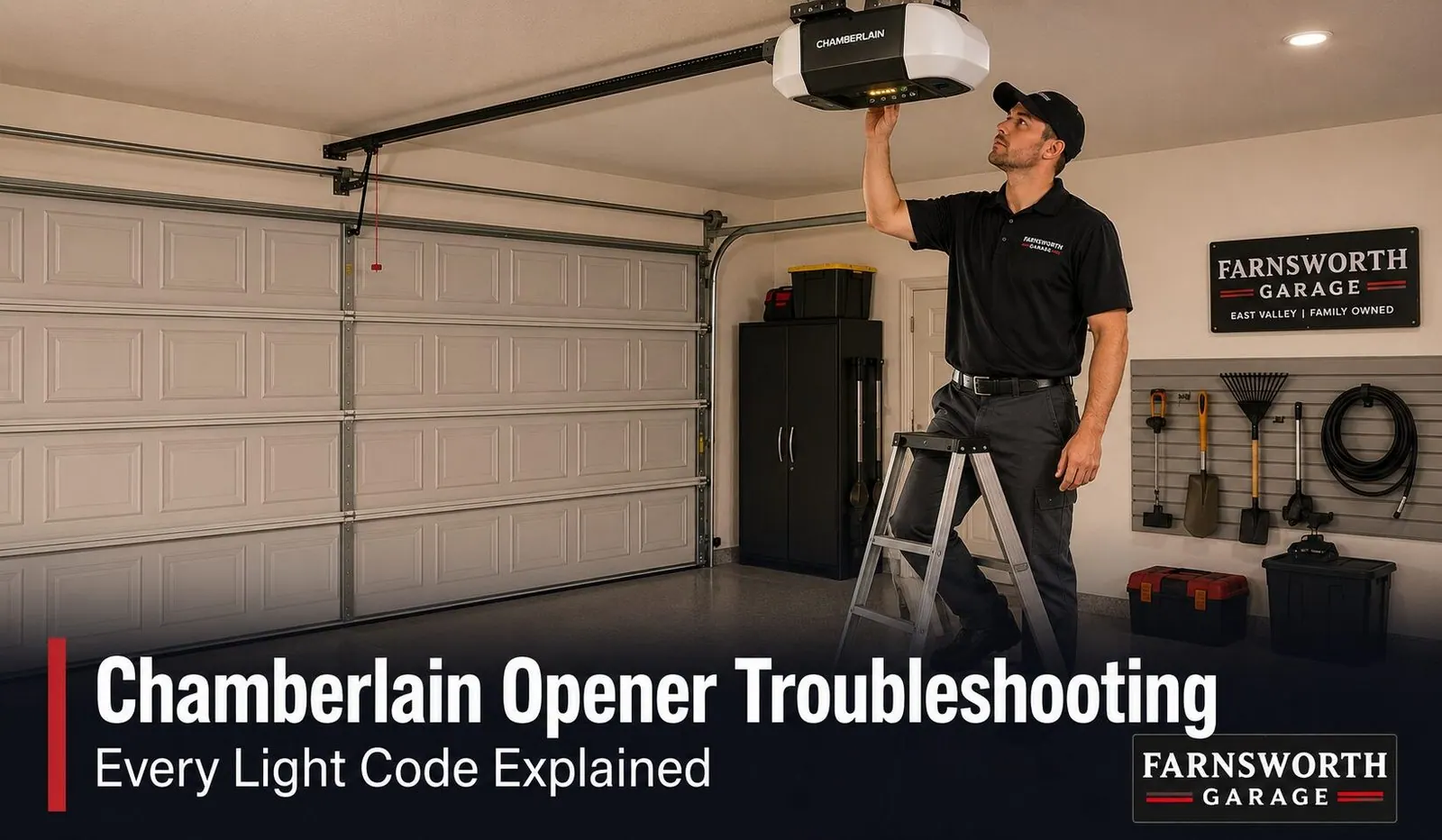
When a Chamberlain opener acts up, it usually tells you exactly what's wrong by flashing a code. The LED next to the LEARN button on the motor unit blinks a repeating count — watch one cycle and count the blinks.
- 1 blink — remote / transmitter issue (start with a fresh battery).
- 2–4 blinks — the safety sensors near the floor: wires crossed, a wiring fault, or (most common) the beam is blocked or misaligned.
- 5–6 blinks — an RPM/motor-speed sensor or a logic-board problem. These usually mean it's time to call a technician.
Chamberlain and LiftMaster are the same opener under the hood, so these codes are identical across both. Below, we decode every blink, the wall-control lights, the LEARN button colors, MyQ "offline" fixes, and the Arizona-specific reasons your opener acts up here more than most places.
A Chamberlain opener is one of the most common units we see on driveways across Mesa, Gilbert, Queen Creek, and the rest of the East Valley — and one of the nicer ones to troubleshoot, because it's built to tell you what's wrong. Instead of just quitting, it blinks a diagnostic code at you. The trick is knowing where to look and how to read it. This guide walks through every light code, what the wall control is trying to say, how to tell which generation of opener you have, and how to chase down the handful of problems our desert climate tends to cause. Most of what follows you can do yourself in a few minutes — and we'll be clear about the few that are worth a call.
- First: Chamberlain and LiftMaster are the same opener
- Where the codes live and how to read them
- Every Chamberlain blink code, decoded
- What the wall-control lights mean
- LEARN button colors: which opener do you have?
- MyQ and "device offline" fixes
- Why Chamberlain openers act up in Arizona
- When to call a technician
- FAQs
First: Chamberlain and LiftMaster Are the Same Opener
This trips a lot of people up, so it's worth clearing up before we start. Chamberlain and LiftMaster are both made by the Chamberlain Group, and underneath they're essentially the same machine. Chamberlain is the retail line you pick up at a home-improvement store; LiftMaster is the professional line a contractor installs. Same circuit board, same Security+ 2.0 rolling-code technology, same MyQ smart features.
Why does that matter for troubleshooting? Three reasons:
- The blink codes are identical — any LiftMaster code chart applies to your Chamberlain exactly.
- Remotes and keypads cross over — a LiftMaster remote will program to a Chamberlain opener and vice versa.
- If you have an older Craftsman (model numbers starting with 139), it came off the same line too — the same codes and steps apply.
So don't worry if a manual, a video, or a parts box says "LiftMaster" when your opener says "Chamberlain." For the purposes of reading codes and fixing problems, they're the same.
Where the Codes Live and How to Read Them
Chamberlain openers can signal trouble from two places, and it helps to check both.
1. The motor unit on the ceiling. There's a small LED next to the LEARN button on the back or side of the motor. When something's wrong, it blinks a repeating count: it flashes a number, pauses, flashes the same number, and repeats. This is the main diagnostic code.
2. The wall control by the door. Many newer Chamberlain wall panels have a button or indicator that lights or blinks to report sensor status and whether the Lock feature is on. If the ceiling LED isn't flashing, the wall panel may still be telling you something.
- Watch one full cycle without blinking yourself.
- Count the flashes before the pause: 1, 2, 3… up to 6.
- That number is your code — match it in the chart below.
If nothing is flashing at all and the opener is completely dead — no lights, no hum — that's usually power, not a code. Check that the unit is plugged in, test the outlet, and check the breaker before going further.
Every Chamberlain Blink Code, Decoded
Here's the full chart. Count the blinks on the motor-unit LED, find the row, and start with the suggested fix. The same codes apply to LiftMaster and recent Craftsman openers.
| Blinks | What it means | What to do |
|---|---|---|
| 1 blink | Remote / transmitter signal issue | Replace the remote battery first. If it persists, reprogram the remote to the opener. |
| 2 blinks | Safety sensor wires crossed (white and white/black reversed) | Swap the two sensor wires at the terminal so they're not reversed. |
| 3 blinks | Sensor wiring fault (a broken or shorted wire) | Inspect the thin sensor wires for pinches, tight staples, or breaks along the run. |
| 4 blinks | Sensors blocked or misaligned (most common won't-close code) | Clear the doorway, wipe both lenses, and re-aim until the green receiving LED is solid. |
| 5 blinks | RPM / motor-speed sensor issue | Usually a technician fix — the trolley carriage or drive gear may need inspection. |
| 6 blinks | Motor circuit or logic-board failure | Unplug for 30 seconds and replug. If it returns, the board likely needs service. |
| Force error / strains & stops | Excessive force detected during travel | Often a mechanical binding or spring/balance issue — best checked by a technician. |
The most common code by far: 4 blinks
If your Chamberlain opens fine but won't close, you're almost certainly looking at a 4-blink code. The two photo-eye safety sensors near the floor send an invisible beam across the bottom of the doorway, and federal safety rules have required them on every residential opener built since 1993. If anything breaks that beam, the opener will open all day but refuse to close. Walk down to the sensors: the sending eye glows amber and the receiving eye should glow a solid green. If that green light is off or flickering, that's your problem — and the fix is below.
How to clear a 4-blink (sensor) problem
- Clear the doorway. Check the full, low path of the beam — a leaning rake, a stray box, even a tall weed just outside the opening can break it.
- Wipe both lenses with a soft, dry cloth. In our climate, a film of dust too thin to notice is enough to scatter the beam — this one step fixes a surprising number of doors.
- Check the green light. If it's solid now, you're done. If it's off or flickering, keep going.
- Re-aim the receiving sensor. Loosen the wing nut just enough to move it by hand, tilt until the green LED glows completely solid, then tighten without bumping it. Both sensors should sit at the same height and aim straight across.
- Inspect the wire. Follow the thin wires up the wall for a tight staple, a nick, or cracked insulation — a damaged wire breaks the beam just like a dirty lens.
What the Wall-Control Lights Mean
Newer Chamberlain wall controls have their own little lights, and a blinking button often confuses people into thinking the panel itself is broken. Usually it's just reporting status.
A slow, steady blink
Most often this mirrors the 4-blink code on the ceiling: the safety sensors aren't aligned or the beam is blocked. Head down to the sensors and work through the steps above.
The Lock light is on
Most Chamberlain wall panels have a Lock button. When it's switched on, it intentionally disables all the remotes so no one can open the door from outside — handy when you're away, but a common surprise when remotes "suddenly stop working" and the wall button still works fine. Press and hold the Lock button for a couple of seconds to toggle it off, and your remotes should come back to life.
The wall control is dead entirely
If the panel has no lights and the door won't respond to it, the low-voltage wire running from the panel to the opener may be pinched, stapled through, or broken — common after a garage remodel or a wall touch-up. That's a quick repair for a technician.
LEARN Button Colors: Which Opener Do You Have?
The color of the LEARN button on the motor unit tells you which generation of Chamberlain you own — which matters most when you're buying a replacement remote or keypad. Pick one rated for your button color (or a universal remote that lists Security+ 2.0), and it'll pair with the standard LEARN-button steps.
| LEARN button color | Era | What it means for you |
|---|---|---|
| Yellow (round) | 2011–present | Security+ 2.0. Pairs with current 8-series remotes and the 878 keypad. The most common today. |
| Red / orange (round) | 2000s–early 2010s | Older rolling-code design. Use a remote rated for red/orange-LEARN openers. |
| Purple (round) | Pre-2011 | Legacy design. Works only with purple-compatible legacy remotes. |
Programming a remote (all Security+ 2.0 models)
- Press and release the LEARN button on the motor unit — don't hold it. The LED next to it glows steadily for about 30 seconds. That's your window.
- Within those 30 seconds, press and hold the remote button you want to program.
- Release when the opener light blinks or you hear two clicks.
- Test it. If it works, you're done. Repeat for additional remotes within the same window, or press LEARN again to reopen it.
If you'd rather not chase down the right remote or keypad, our remote & keypad replacement page covers what we carry and program on the spot.
MyQ and "Device Offline" Fixes
Chamberlain's smart platform is MyQ, and when it drops out it's almost always a Wi-Fi problem rather than a broken opener. The single most common cause catches nearly everyone:
- Shows "offline" in the app: power-cycle the opener — unplug it for about 30 seconds, plug it back in — then re-pair it in the MyQ app.
- Won't connect to Wi-Fi: confirm you're joining a 2.4 GHz network, move closer to the router if the garage signal is weak, and check for unusual characters in your Wi-Fi password.
- HomeKit shows "No Response": the MyQ Home Bridge has dropped off Wi-Fi — move it closer to the router.
- An older third-party app stopped working: Chamberlain restricted third-party access in 2023. Use the official MyQ app rather than a legacy integration.
If MyQ won't reconnect after a power cycle and a fresh pairing, the issue is usually the network, not the opener — but a weak garage signal or an aging Wi-Fi board is something we can help sort out during a visit.
Why Chamberlain Openers Act Up in Arizona
The codes above show up everywhere, but a few things about life in the East Valley make certain problems far more common here — and they explain some of the head-scratching "it worked this morning" patterns we hear about.
Afternoon sun blinds the receiving sensor
This is the big one. Low, direct afternoon sunlight hitting the lens of the green receiving sensor can wash out the infrared beam, so the opener reads the doorway as blocked and throws a 4-blink, won't-close code. In the morning, with the sun on the far side of the house, the same sensor reads fine. If your door closes in the morning but not the afternoon, that's your culprit — a small sun shield over the receiving sensor, even a folded index card taped above the lens, usually solves it.
Heat, dust, and brittle wiring
A few more desert factors stack up. On the hottest afternoons, a hard-working motor can hit its built-in thermal cutout and stop until it cools, then run fine in the evening — so suspect heat before a failed motor. Blowing dust settles on the sensor lenses and scatters the beam, which is why wiping them is the first thing to try here. And years of heat and UV make the thin sensor and wall-control wires brittle, so a 2- or 3-blink wiring code that comes and goes is often a cracked wire or a staple that finally cut through.
When to Call a Technician
Plenty of Chamberlain codes are a five-minute fix. Others are a sign of something a homeowner shouldn't chase by trial and error. It's worth a call when:
- The motor unit flashes 5 or 6 blinks, which point to an RPM sensor or logic-board issue rather than a simple sensor fix.
- You've cleaned the lenses, cleared the doorway, and aligned the sensors until both lights are solid — and the door still won't close.
- The opener hums or strains without moving the door, which is usually a different problem (see our guide on a garage door opener that won't move).
- The door slams hard or reverses violently, which can mean force settings — or the springs and balance — need attention.
- You find frayed or pinched low-voltage wiring and aren't comfortable splicing it.
We work on every Chamberlain and LiftMaster model, carry common parts on the truck, and a stubborn code is usually a quick visit. Same-day service is our standard, often within hours of your call.
Why East Valley Homeowners Call Farnsworth for Opener Repairs
Farnsworth Garage Door Service was founded by brothers Brigham and Riley Farnsworth. The Farnsworth name has 60+ years of family business behind it across the East Valley — R&K, Farnsworth Wholesale, Farnsworth Realty — and we run this company the way our family always has: tell the truth, put the price in writing, and do the work right the first time.
- We diagnose before we replace. A flashing code is often a sensor, a wire, or a battery — not a whole new opener — and we'll tell you that.
- Every major brand. Chamberlain, LiftMaster, Genie, Craftsman, and more — we carry common parts on the truck.
- Clear written quotes before any work starts, so there are no surprises.
- Same-day service is our standard, often within hours of your call.
- 5.0 stars on Google. Our neighbors keep us busy by telling theirs.
Need a hand with a stubborn opener? See our opener repair & replacement page, our garage door repair services, or check where we work across the East Valley.
Frequently Asked Questions
Where are the Chamberlain light codes and how do I read them?
Chamberlain openers flash their diagnostic codes from the LED next to the LEARN button on the back or side of the motor unit on the ceiling. When something is wrong, that LED blinks a repeating count and then pauses, blinks the same count again, and repeats. To read it, watch one full cycle and count the blinks before the pause: one, two, three, and so on up to six. The number is the code. Match it to the chart: one blink is a remote issue, two is crossed sensor wires, three is a sensor wiring fault, four is sensors blocked or misaligned, five is an RPM or motor-speed sensor, and six is a motor circuit or logic-board problem. Some newer Chamberlain models also light the wall control button to signal sensor and lock status, so check there too if the motor LED isn't flashing.
Are Chamberlain and LiftMaster the same? Do they use the same codes?
Yes. Chamberlain and LiftMaster are both made by the Chamberlain Group and share the same internal platform, the same Security+ 2.0 rolling-code technology, and the same MyQ smart features. Chamberlain is the retail line you buy at a home-improvement store, and LiftMaster is the professional line a contractor installs, but underneath they are essentially the same opener. That means the blink codes are identical, the LEARN button and remote programming steps are the same, and LiftMaster remotes and keypads program to Chamberlain openers and vice versa. Craftsman openers made in recent decades come off the same line too, so if a guide mentions LiftMaster codes, they apply to your Chamberlain.
What does it mean when my Chamberlain blinks 4 times and won't close?
Four blinks means the safety sensors near the floor are blocked or out of alignment, and it is by far the most common reason a Chamberlain opens fine but refuses to close. The two photo-eye sensors send an invisible beam across the bottom of the doorway, and if anything breaks that beam the opener will not let the door come down. Start by clearing the doorway of any object low to the ground, then wipe both sensor lenses with a soft dry cloth, since Arizona dust on a lens is enough to scatter the beam. Then look at the sensor lights: the sending eye glows amber and the receiving eye should glow a solid green. If the green light is off or flickering, loosen its bracket and gently re-aim the sensor until the green light is steady, then tighten it back down and test the door.
Why does my Chamberlain wall control button keep blinking?
On many newer Chamberlain wall controls, a blinking button is the panel's way of reporting a status rather than a failure. A slow, steady blink most often means the safety sensors are not aligned or the beam is blocked, the same condition the motor unit reports as four blinks. A blinking button can also mean the wall control's Lock feature is switched on, which intentionally disables the remotes so no one can open the door from outside; press and hold the Lock button for a couple of seconds to toggle it off and the remotes should work again. If the button blinks and the door also will not respond to the wall control at all, the low-voltage wire running to the panel may be pinched or broken, which is a quick fix for a technician.
What do the LEARN button colors on a Chamberlain mean?
The color of the LEARN button tells you which generation of opener you have and which remotes will work with it. A yellow round LEARN button means a 2011-or-newer Security+ 2.0 opener, and it pairs with current 8-series remotes and the 878 keypad. A red or orange LEARN button is from the 2000s into the early 2010s and uses older rolling-code remotes. A purple LEARN button is a pre-2011 design and only works with legacy purple-compatible remotes. Knowing the color matters mostly when you are buying a new remote or keypad: pick one rated for your button color, or a universal remote that lists Security+ 2.0 compatibility, and it will program with the standard LEARN-button steps.
My Chamberlain MyQ says the device is offline. How do I fix it?
An offline MyQ device is almost always a Wi-Fi problem, not a broken opener, and the single most common cause is the network band. MyQ only connects to a 2.4 GHz Wi-Fi network, not 5 GHz, so if your router broadcasts both under one name the opener can lose its connection. The reliable fix is to power-cycle the opener by unplugging it for about thirty seconds and plugging it back in, then re-pair it in the MyQ app. If it still will not connect, make sure the opener is close enough to a strong 2.4 GHz signal, check that your Wi-Fi password does not contain unusual characters, and confirm the router has not changed its name or password. Note that Chamberlain restricted third-party app access in 2023, so use the official MyQ app rather than an older integration.
Why does my Chamberlain stop working on hot Arizona afternoons?
Two heat-related patterns are common in the East Valley. First, on the hottest afternoons a hard-working opener motor can hit its built-in thermal cutout and simply stop until it cools off, then run normally again in the evening. If the door is dead in peak heat but fine later, heat is the likely reason. Second, low afternoon sun shining directly into the lens of the green receiving sensor can wash out the beam, so the opener thinks the doorway is blocked and refuses to close, even though it closed fine that morning. A small sun shield over the receiving sensor, even a folded index card taped above the lens, usually solves the sun problem. If the door is slow or strains only in the heat, the grease in the tracks may have thinned and a fresh lubrication often helps.
When should I call a technician for a Chamberlain opener?
Call a technician when the motor unit flashes five or six blinks, which point to an RPM sensor or a logic-board problem rather than a simple do-it-yourself fix, or when you have cleaned the lenses, cleared the doorway, and aligned the sensors and the door still will not close. It is also worth a call if the opener hums or strains without moving the door, if the door slams or reverses hard, or if you find frayed or pinched low-voltage wiring you are not comfortable repairing. Those symptoms can involve the motor, the force settings, or the door's springs and balance, and chasing them by trial and error can damage the opener or the door. We work on every Chamberlain and LiftMaster model and carry common parts on the truck.

Chamberlain Opener Still Acting Up?
Licensed, insured, locally owned. We diagnose Chamberlain and LiftMaster opener codes fast, fix what's actually wrong, and put the price in writing first. Same-day service is our standard, often within hours of your call.