
LiftMaster Garage Door Opener Won't Close: Yellow LED Decoded
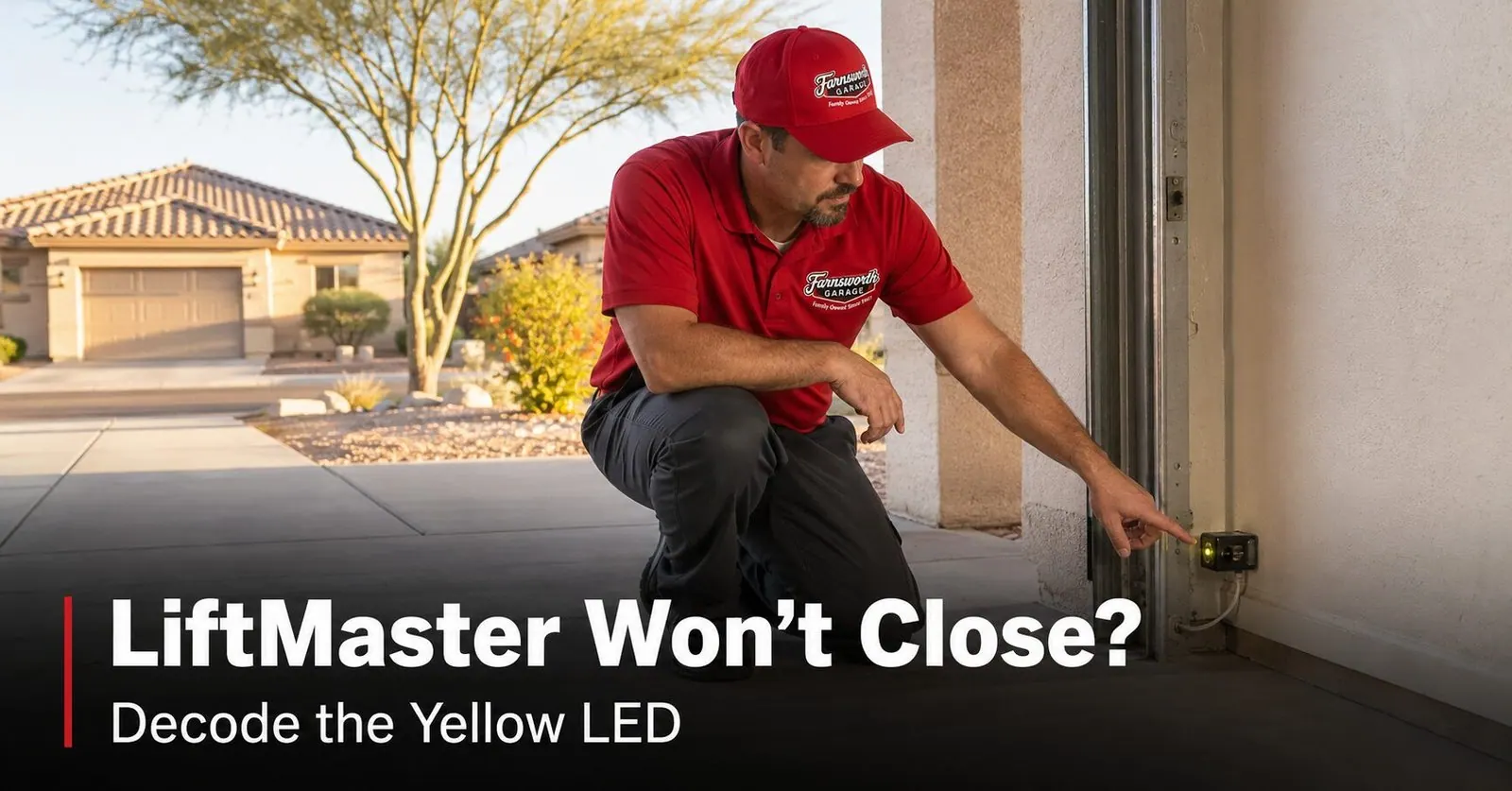
If your LiftMaster opens fine but won't close, and you're staring at a yellow light, here's the short version: your opener almost certainly thinks its safety sensors are blocked. Look at the two small sensors near the floor.
- The amber (yellow) sensor light is normal. That's the sending eye, and it's supposed to glow all the time.
- The green sensor light is the one that matters. That's the receiving eye. If it's off or flickering, the beam is broken and the door won't close.
- The yellow LEARN button on the motor is unrelated — it's only for programming remotes on 2011-and-newer models.
Most won't-close problems are fixed in a few minutes: clear the doorway, wipe both lenses, and re-aim the sensors until the green light is solid. The rest of this guide walks you through it step by step — including the Arizona-specific reasons it happens here more than most places.
It's one of the most frustrating things a garage door does: you press the button, the door starts down, and then it stops or rolls right back up — over and over — while the light on the opener blinks at you. The door will open all day long but flat-out refuses to close. If you have a LiftMaster (or its retail twin, a Chamberlain), there's good news: this is one of the most common calls we get across Mesa, Gilbert, Queen Creek, and the rest of the East Valley, and the cause is usually small and fixable. Let's decode that yellow light and get your door closing again.
First: Which Yellow Light Are You Looking At?
"Yellow LED" can mean three completely different things on a LiftMaster, and they point to three different situations. Before you change anything, figure out which one you're seeing — it saves you from chasing the wrong problem.
| Yellow light location | What it is | What it means |
|---|---|---|
| Amber LED on a sensor near the floor | The sending (transmitter) eye | Normal — it should glow steadily. This is not your problem. |
| Flashing light on the motor unit (ceiling) | A diagnostic blink code | Count the blinks — the opener is telling you what's wrong (see chart below). |
| Yellow LEARN button on the back of the motor | The programming button (2011+ Security+ 2.0) | Only used to add remotes/keypads. Unrelated to the door closing. |
For a won't-close problem, the light that actually matters is down on the sensors near the floor — and specifically, the green one. Here's why.
Why a LiftMaster Opens But Won't Close
Every residential garage door opener built since 1993 is required to have a pair of photo-eye safety sensors mounted near the floor on each side of the door. They send an invisible infrared beam across the opening. If anything breaks that beam — a trash can, a backpack, a curious pet, or a misaligned sensor — the opener will not let the door close. It's the feature that stops a closing door from coming down on a child or a car bumper.
Here's the key: those sensors only guard the closing direction. That's exactly why your door will happily open but refuse to close. When you press the button to close and the beam isn't clear, you'll see one of these:
- The door doesn't move at all, and the opener light blinks.
- The door starts down an inch or two, then reverses back up.
- The door won't close on the remote, but will close if you hold the wall button down.
That last clue is the giveaway. If holding the wall button closes the door but a normal press won't, your opener is overriding the sensors — which means it's the sensors (or their wiring) telling it to stop.
Reading the Sensor Lights: Amber vs. Green
Walk down to the two sensors near the floor and look at their little indicator lights. On a LiftMaster, the two eyes do different jobs and glow different colors:
Sending eye — amber/yellow LED. This one transmits the beam. Its amber light should be on steadily and basically never goes out. A glowing amber sensor light is a good sign, not a warning.
Receiving eye — green LED. This one catches the beam. Its green light is the health check for the whole system: it must be solid and steady for the door to close. If the green LED is dark, dim, or flickering, the receiving eye isn't seeing the beam — and the door won't close until it does.
- Amber on = normal
- Green solid = beam is good, door will close
- Green off or flickering = beam broken, door won't close — start here
So if your amber light is on but the door still won't close, don't be fooled into thinking the sensors are fine. Go straight to the green receiving light — that's the one doing the talking.
LiftMaster Blink Codes, Decoded
If the light on the motor unit is flashing, count the blinks. LiftMaster (and Chamberlain and Craftsman, which use the same system) flash a repeating count that tells you exactly which part of the safety circuit is unhappy.
| Blinks | What it means | What to do |
|---|---|---|
| 1 blink | Remote / transmitter signal issue | Replace the remote battery; reprogram the remote if it persists. |
| 2 blinks | Sensor wires crossed (white and white/black reversed) | Swap the two sensor wires at the terminal so they're not reversed. |
| 3 blinks | Sensor wiring fault (broken or shorted wire) | Inspect the sensor wires for pinches, staples, or breaks along the run. |
| 4 blinks | Sensors obstructed or misaligned (most common) | Clear the doorway, wipe the lenses, and re-aim until the green LED is solid. |
| 5 blinks | RPM / motor-speed sensor issue | Usually a technician fix — the trolley or drive gear may need inspection. |
| 6 blinks | Motor circuit or logic-board failure | Unplug for 30 seconds and replug; if it persists, the board likely needs service. |
Fix It Yourself: 6 Steps
Before you touch a tool, unplugging the opener isn't required for sensor work, but it never hurts to be unhurried. Work through these in order — most doors are closing again before step four.
- Clear the doorway. Check the full path of the beam, low to the ground. A leaning rake, a stray box, a coiled hose, even a tall weed just outside the opening can break the beam. Move anything in the way.
- Wipe both lenses. Use a soft, dry cloth on the little lens on each sensor. In our climate, a thin film of dust is enough to scatter the beam — this single step fixes a surprising number of doors.
- Check the lights. Look at the green receiving LED. If it's solid, your beam is good — the problem is elsewhere (jump to step 6). If it's off or flickering, keep going.
- Re-aim the receiving sensor. Loosen the wing nut on its bracket just enough to move the sensor by hand. Gently tilt and rotate it until the green LED stops flickering and glows completely solid, then tighten the wing nut without bumping it. Both sensors should sit at the same height (about four to six inches off the floor) and aim straight across at each other.
- Inspect the wiring. Follow the thin wires from each sensor up the wall. Look for a staple driven too tight, a nicked or pinched spot, or cracked, brittle insulation. A damaged wire breaks the beam just like a misaligned lens does.
- Test the door — and the force settings. With both lights solid, run the door. If it now closes, you're done. If it closes but slams or bounces and reverses, the down-force or down-limit setting may need a small adjustment — a job we'd suggest leaving to a technician so the door's safety reverse stays correct.
Why This Happens More in Arizona
Photo-eye sensor problems show up everywhere, but a few things about life in the East Valley make them more common here — and they explain some of the head-scratching "it worked this morning" patterns we hear about.
Afternoon sun blinds the receiving eye
This is the big one. Low, direct afternoon sunlight hitting the lens of the green receiving sensor can wash out the infrared beam, so the opener thinks the doorway is blocked and refuses to close. In the morning, with the sun on the far side of the house, the same sensor reads fine. If your door closes in the morning but not the afternoon, you've found your culprit. A small sun shield — a short piece of pipe, a store-bought sensor visor, even a folded index card taped above the lens — usually solves it.
Heat trips the motor's thermal cutout
On the hottest afternoons, a hard-working opener motor can hit its built-in thermal limit and stop until it cools off, then run again later. If the door is dead in peak heat but fine in the evening, heat may be the reason rather than the sensors.
Dust on the lenses
Blowing desert dust settles on everything, and the sensor lenses are no exception. A layer too thin to even notice can scatter the beam enough to stop the door. This is why wiping the lenses is step two — it matters more here than in damp, dust-free climates.
Heat-brittle sensor wiring
Years of heat, UV through a garage window, and temperature swings make the thin low-voltage sensor wire brittle. Insulation cracks, a staple finally cuts through, and the beam drops out intermittently. When a sensor problem keeps coming back after you've cleaned and aligned everything, a worn wire is usually hiding behind it.
When to Call a Technician
Plenty of won't-close problems are a five-minute fix. Others are a sign of something a homeowner shouldn't chase by trial and error. It's worth a call when:
- You've cleaned the lenses, cleared the doorway, and aligned the sensors until both lights are solid — and the door still won't close.
- The motor unit flashes 5 or 6 blinks, which point to an RPM sensor or logic-board issue, not a simple sensor fix.
- The door slams hard or reverses violently, which can mean the force or limit settings — or the springs and balance — need attention.
- The opener hums or strains without moving the door (different problem — see our guide on a garage door opener that won't move).
- You find frayed or pinched sensor wiring and aren't comfortable splicing low-voltage wire.
We work on every LiftMaster and Chamberlain model, and a stubborn sensor or wiring issue is usually a quick visit. Same-day service is our standard, often within hours of your call.
Why East Valley Homeowners Call Farnsworth for Opener Repairs
Farnsworth Garage Door Service was founded by brothers Brigham and Riley Farnsworth. The Farnsworth name has 60+ years of family business behind it across the East Valley — R&K, Farnsworth Wholesale, Farnsworth Realty — and we run this company the way our family always has: tell the truth, put the price in writing, and do the work right the first time.
- We diagnose before we replace. A won't-close door is often a sensor or wire, not a whole new opener — and we'll tell you that.
- Every major brand. LiftMaster, Chamberlain, Genie, Craftsman, and more — we carry common parts on the truck.
- Clear written quotes before any work starts, so there are no surprises.
- Same-day service is our standard, often within hours of your call.
- 5.0 stars on Google. Our neighbors keep us busy by telling theirs.
Need a hand with a stubborn door? See our opener repair & replacement page, our garage door repair services, or check where we work across the East Valley.
Frequently Asked Questions
What does the yellow light mean on my LiftMaster when it won't close?
There are three different yellow lights on a LiftMaster, so the first step is identifying which one you're looking at. The amber (yellow) LED on one of the two safety sensors near the floor is the sending eye, and it's supposed to glow steadily all the time. The receiving sensor on the other side has a green LED, and that green LED must also be solid for the door to close. If your door won't close, look at the green LED first: if it's off or flickering, the sensor beam is broken and the opener will refuse to close as a safety measure. The third yellow you might see is the LEARN button on the back of the motor, which is yellow on all 2011-and-newer Security+ 2.0 models and only matters when you're programming a remote. So a steady amber sensor light is normal, an out or flickering green light is the usual won't-close culprit, and the yellow LEARN button is unrelated to closing.
Why does my LiftMaster open but not close?
A garage door opener will open with a sensor problem but refuse to close because the photo-eye safety sensors only guard the closing direction. Federal safety rules have required these reversing sensors on every residential opener built since 1993, and they're wired so that if the invisible beam between the two sensors is broken, blocked, or out of alignment, the door can open freely but will not close. When you press the button to close, the door either won't move, moves an inch and stops, or starts down and reverses back up while the motor-unit light flashes. Almost every time, the fix is on the two small sensors near the floor: clear the beam, wipe the lenses, and re-aim them until the green receiving light is solid.
How do I realign LiftMaster safety sensors?
Start at the receiving sensor (the one with the green LED). Loosen the wing nut on its mounting bracket just enough that you can move the sensor by hand without it sliding on its own. Gently tilt and rotate it until the green LED stops flickering and glows completely solid, then hold it still and tighten the wing nut back down without bumping it out of position. Both sensors should sit at the same height, usually about four to six inches off the floor, and point straight across at each other. Wipe both lenses with a soft dry cloth first, since a film of Arizona dust on the lens can scatter the beam enough to break it. Once both the amber sending light and the green receiving light are steady at the same time, test the door.
What do the LiftMaster blink codes mean?
When a LiftMaster runs into a problem, the LED next to the LEARN button on the motor unit flashes a count that tells you what's wrong. One blink points to a remote or transmitter issue. Two blinks means the safety sensor wires are crossed (white and white/black reversed). Three blinks means a sensor wiring fault, like a broken or shorted wire. Four blinks means the sensors are obstructed or misaligned, which is the most common won't-close code. Five blinks points to an RPM or motor-speed sensor issue, and six blinks indicates a motor circuit or logic-board failure. Codes four and below you can usually work through yourself; five and six blinks generally mean it's time to call a technician.
Why does my garage door close fine in the morning but not in the afternoon?
This is one of the most common patterns we see in the East Valley, and it's almost always the sun. In the afternoon, low, direct sunlight can hit the lens of the green receiving sensor at the wrong angle and wash out the beam, so the opener thinks something is blocking the doorway and refuses to close. In the morning, with the sun on the other side of the house, the same sensor reads the beam fine. The fix is a small sun shield over the receiving sensor, which can be a short piece of pipe, a commercial sensor visor, or even a folded index card taped above the lens to block the glare. Heat can play a role too: in extreme temperatures an opener motor can trip its thermal cutout and stop working until it cools, then run again later.
Can I force my LiftMaster to close when the sensors won't cooperate?
You can override the sensors temporarily, but you should think carefully before you do. If you press and hold the wall button continuously, most LiftMaster models will close the door even with a broken sensor beam — releasing the button stops the door instantly. This is meant as a short-term workaround, not a fix, and it removes the very safety feature that stops the door on a child, pet, or car bumper. Never use a remote or app to force the door, and never leave a door set up to bypass its sensors. If your sensors won't stay aligned, the right move is to find out why — usually a quick adjustment, dirty lens, sun glare, or a worn wire — rather than living with the safety system defeated.
How long do LiftMaster safety sensors last in Arizona?
The sensors themselves are simple and can last well over a decade, but Arizona is hard on the thin wires that feed them. The low-voltage sensor wire is often stapled along the wall and door frame, and years of heat, UV through a window, and dust make the insulation brittle. A staple driven a little too tight, a wire nicked during a garage cleanup, or insulation that finally cracks can break the beam and stop the door from closing. When a sensor problem keeps coming back after you've cleaned and realigned everything, a worn or pinched wire is usually the reason, and replacing a short run of sensor wire or a sensor pair is a simple, affordable repair.
When should I call a technician for a LiftMaster that won't close?
Call a technician when you've cleaned the lenses, cleared the doorway, and realigned the sensors until both lights are solid and the door still won't close, or when the motor unit flashes five or six blinks, which point to an RPM sensor or a logic-board problem rather than a simple sensor fix. It's also worth a call if the door starts down and slams or reverses hard, if you see frayed or pinched sensor wiring, or if the opener hums and strains without moving the door. Those symptoms can involve force settings, the motor, or the door's springs and balance, and chasing them by trial and error can damage the opener or the door.

Garage Door Still Won't Close?
Licensed, insured, locally owned. We diagnose LiftMaster and Chamberlain sensor and opener problems fast, fix what's actually wrong, and put the price in writing first. Same-day service is our standard, often within hours of your call.