How to Program a LiftMaster Remote (and Why It Stops Working in Arizona Heat)
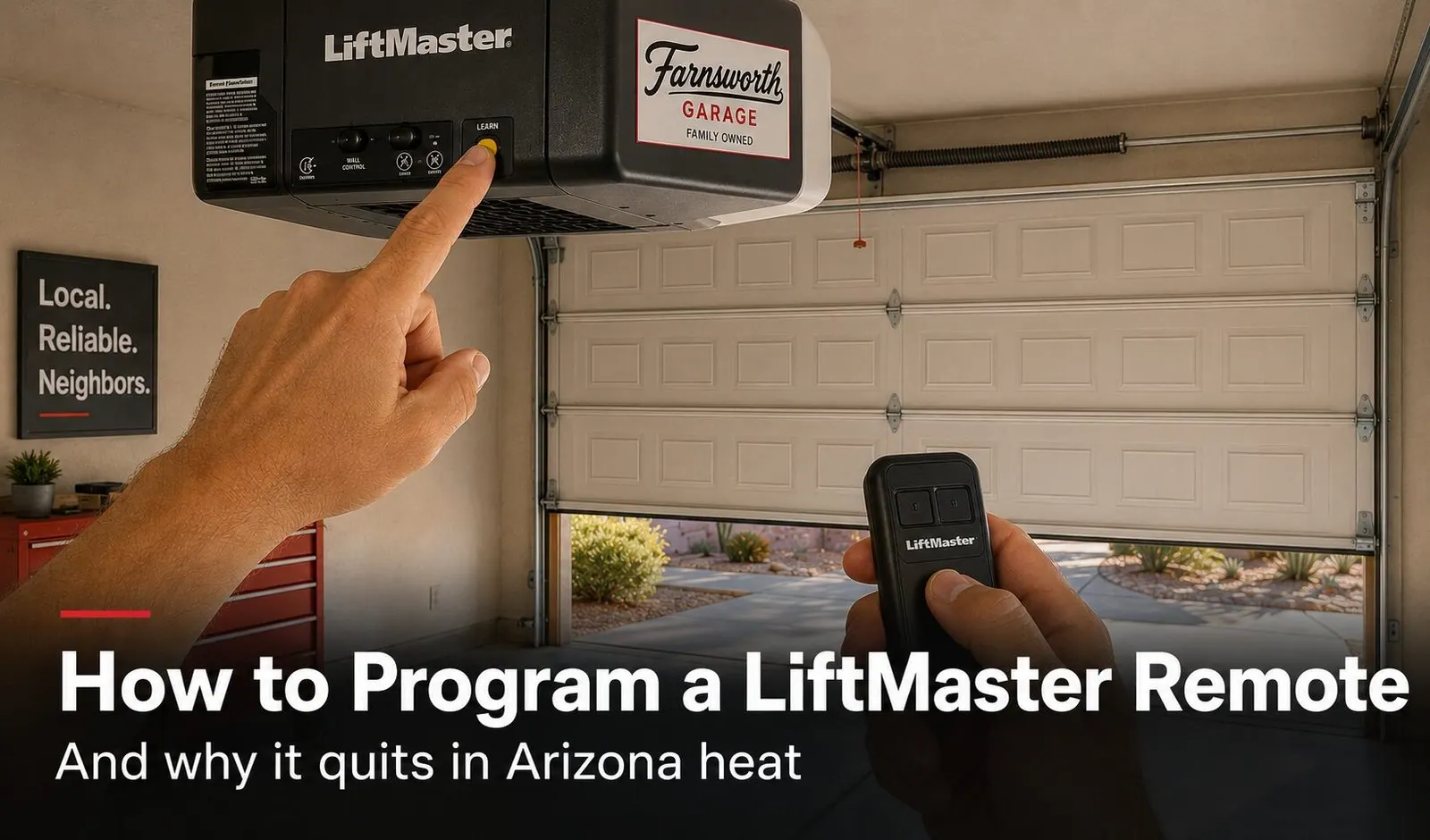
To program a LiftMaster remote on most current openers:
- 1. Find the yellow LEARN button on the back or side of the motor unit (the box on your ceiling), not on the wall control.
- 2. Press and immediately release it. The LED beside it glows steadily for about 30 seconds.
- 3. Within that window, press and hold the remote button until the opener light blinks or you hear two clicks, then release.
- 4. Test it. If the door responds, you're done.
If your remote programs fine but still cuts out in the summer, the culprit is almost always a heat-drained battery, not the opener. We explain why below — it's an Arizona-specific problem worth understanding.
A new LiftMaster remote, a replacement for one that finally died, or a clean reset after moving into a new home — whatever brought you here, programming a LiftMaster remote is usually a two-minute job once you know where to look and which button color you're dealing with. The catch in the East Valley is that "I just programmed it and it already stopped working" is something we hear all summer long, and the fix is rarely what people expect. This guide walks through the exact steps for current and older LiftMaster openers, then gets into the Arizona heat problem that sends so many remotes to an early grave.
First: Find Your LEARN Button (and Its Color)
Every LiftMaster remote is paired through the LEARN button on the motor unit — the powerhead bolted to your garage ceiling — not through the wall control. You'll usually find it on the back or side panel near the antenna wire and a small programming light. On many models you have to lift or pop off the light lens cover to see it.
Before you press anything, note the button's color. LiftMaster has used different radio systems over the years, and the color tells you both how to program and which replacement remotes will actually work with your opener.
| LEARN button color | System / era | Compatible remotes |
|---|---|---|
| Yellow | Security+ 2.0 (current) | 893MAX, 895MAX, 374UT/375UT universal |
| Purple | Security+ (older, 315 MHz) | 371LM, 372LM, 373LM, 374UT/375UT universal |
| Red / Orange | Earlier rolling-code units | Era-matched LiftMaster or a universal remote |
| Green | Oldest fixed-code units | Often best paired with a universal remote |
If your button is yellow, you've got a modern Security+ 2.0 opener and the steps below apply directly. Purple, red, or green means an older system — still easy to program, with one small wrinkle covered further down.
How to Program a LiftMaster Remote, Step by Step
This is the standard procedure for any current Security+ 2.0 (yellow LEARN) opener. The whole thing takes under a minute once you can reach the unit safely.
- Get safe access to the motor unit. Use a sturdy step stool or ladder so you can comfortably reach the LEARN button. If the unit is mounted high on a tall ceiling, don't overreach — that's a reasonable point to call us instead.
- Press and immediately release the LEARN button. Do not hold it. The LED next to it will glow steadily, which means you have about a 30-second programming window open.
- Press and hold your remote button. Within those 30 seconds, hold the button on the remote you want to pair. Stand within a few feet of the opener.
- Watch and listen for confirmation. Release the remote button when the opener light blinks or you hear two clicks. That's the opener saying the remote is learned.
- Test the remote. Press it and confirm the door opens or closes. If it does, programming is complete.
- Add more remotes if needed. Repeat for any additional remotes within the same 30-second window, or simply press LEARN again to reopen it for the next one.
Programming Older Purple, Red, or Green Openers
The good news: the basic rhythm is identical — press LEARN, then press the remote button within about 30 seconds until the opener confirms. The wrinkle is compatibility. Older purple-button openers run a different frequency than the current yellow-button system, so a brand-new 893MAX or 895MAX won't always pair with them. For purple units, a legacy remote (371LM, 372LM, 373LM) or a true universal remote (374UT, 375UT) is the safe bet.
Red, orange, and green LEARN buttons indicate even older openers. Many of these are 15 to 25 years old and have spent every one of those summers heat-cycling in an Arizona garage. They can often still be paired with a universal remote, but if you're already buying a remote and the opener is showing its age — slow response, intermittent operation, missing safety features — it may be the moment to weigh a new opener. We cover that trade-off honestly on our garage door opener replacement page.
Why LiftMaster Remotes Fail in Arizona Heat
Here's the pattern we see every June and July across Mesa, Gilbert, Queen Creek, and the rest of the Valley: a remote that worked fine all spring suddenly gets flaky in the summer. It opens the door when you're parked right in front of it but not from the street. It works first thing in the morning, then quits in the afternoon. It takes three or four presses to respond. Almost every time, the problem isn't the programming — it's our climate working on the remote.
The battery is the number one cause
Most remotes live clipped to a sun visor. The inside of a parked car in an Arizona summer can climb past 150 degrees, and that kind of sustained heat is brutal on the little coin-cell batteries (CR2032 or CR2016) that power a remote. Heat accelerates the chemical drain, so a battery rated to last a couple of years can fade in a single summer. A weakened battery produces a weaker radio signal — which is exactly why range drops first: you lose the driveway before you lose the up-close press.
The fix is usually a one-dollar coin cell. Before assuming a remote is broken, pop it open and swap in a fresh battery of the same type. That single step resolves the large majority of summer remote complaints we hear about.
Heat and time wear on the opener too
A remote is the most heat-exposed part of the system, but it isn't the only one. Over many seasons, the relentless attic-like heat in an Arizona garage is hard on the opener's logic board — the small computer that receives the remote's signal. When a fresh battery, a good antenna, and a different bulb all fail to restore reliable range, an aging, heat-fatigued logic board is often the real story, especially on openers more than a decade old.
Remote Won't Program? Run This Checklist
If the steps above aren't taking, work through these before giving up on the remote or the opener:
- Confirm you pressed and released LEARN — not held it. Holding the button for six seconds erases remotes instead of adding one.
- Beat the 30-second clock. If the window closes before you press the remote, just press LEARN again and try faster.
- Check the remote battery. A brand-new remote can still ship with a weak or dead coin cell, and a heat-tired one won't program reliably. Swap it and retry.
- Match the LEARN color to the remote. A current Security+ 2.0 remote won't pair with an older purple-button opener. Re-check the compatibility table above.
- Stand close, then test from distance. Program within a few feet of the unit, then test from the driveway to confirm real-world range.
- Look at the antenna wire. A tucked-up, cut, or damaged antenna shrinks range dramatically — it should hang straight down from the motor unit.
- Rule out interference. New LED bulbs and nearby smart-home gear can throw radio noise that confuses the opener. Try a different (LED-rated or incandescent) bulb in the opener.
If you've checked all of that and the remote still won't hold a connection, the issue is likely inside the opener — commonly an aging logic board after years of heat. That's our cue to take a look.
Which LiftMaster Remote Do You Need?
Buying a replacement is where most of the wasted money happens — people grab whatever's on the shelf, get it home, and find it won't pair. Match the remote to your opener's LEARN button color and you'll get it right the first time.
| Remote model | Buttons | Works with | Notes |
|---|---|---|---|
| 893MAX | 3-button | Yellow LEARN (Security+ 2.0) | Current standard remote |
| 895MAX | 3-button | All current LiftMaster | Premium current remote |
| 371LM / 372LM / 373LM | 1 / 2 / 3-button | Purple LEARN (older 315 MHz) | Legacy — still common in older AZ homes |
| 374UT / 375UT | 1 / 2-button | Multiple brands & eras | Universal — safe pick if you're unsure |
Not sure what you have? The surest path is to read the model number off the back of your old remote or off the label on the motor unit. If it's faded or gone — common after years in the sun — a universal remote like the 374UT or 375UT is the low-risk choice. And if you'd rather not guess at all, we keep common remotes on the truck and program them on the spot during any visit.
Why East Valley Homeowners Call Farnsworth for Opener Help
Farnsworth Garage Door Service was founded by brothers Brigham and Riley Farnsworth. The Farnsworth name has 60+ years of family business across the East Valley behind it — R&K, Farnsworth Wholesale, Farnsworth Realty — and we run this company the way our family always has: tell the truth, put the price in writing, do the work right the first time.
- We program remotes, keypads, and HomeLink as part of any opener service or new install — you leave with everything paired and tested.
- We diagnose the real cause, whether it's a heat-drained battery, an antenna issue, interference, or a failing logic board — not just a parts swap.
- We carry common LiftMaster remotes on the truck, so a dead remote rarely means a second trip.
- Straight answers on repair vs. replace when an older, heat-worn opener is near the end of its life.
- Same-day service is our standard, often within hours of your call.
- 5.0 stars on Google. Our neighbors keep us busy by telling theirs.
Need a hand with an opener or remote? See our garage door opener replacement page, our repair services, or check where we work across the East Valley.
Frequently Asked Questions
How do I program a LiftMaster remote?
On most current LiftMaster openers, press and immediately release the yellow LEARN button on the back of the motor unit. The LED next to it glows steadily for about 30 seconds. Within that window, press and hold the button on your remote until the opener light blinks or you hear two clicks, then release. Test the remote. If it opens the door, programming is complete. You can program additional remotes within the same 30-second window or press LEARN again to reopen it. Some homeowners reach the LEARN button with a step stool; if your ceiling is high or the unit is hard to access safely, that is a fine reason to have a technician handle it.
Where is the LEARN button on a LiftMaster opener?
The LEARN button is on the motor unit itself, the box mounted to your garage ceiling, not on the wall control. On most LiftMaster models it sits on the back or side panel, often near the antenna wire and the programming LED. You may need to lift or remove the light lens cover to see it. The button is colored, and that color matters: yellow means a current Security+ 2.0 opener, while purple, red/orange, or green indicate older systems that use different compatible remotes.
Why does my LiftMaster remote keep failing in the summer?
In Arizona, the most common reason is the battery. A remote clipped to a sun visor sits in a car that can pass 150 degrees inside on a summer afternoon, and that sustained heat drains and degrades coin-cell batteries far faster than the manufacturer's rated life. A weak battery gives you exactly the symptoms people describe in June and July: the remote works up close but not from the driveway, works in the morning but not in the heat of the day, or needs several presses to respond. Swapping in a fresh CR2032 or CR2016 coin cell fixes the large majority of summer remote complaints we hear about. Heat can also affect the opener's logic board over many seasons, but the battery is almost always the first thing to check.
How do I know which LiftMaster remote I need?
Match the remote to your opener's LEARN button color. A yellow LEARN button is Security+ 2.0 and works with current remotes like the 893MAX and 895MAX. A purple LEARN button is the older 315 MHz Security+ system and pairs with legacy remotes such as the 371LM, 372LM, and 373LM. Universal remotes like the 374UT and 375UT are designed to cover several LiftMaster generations and other brands, which makes them a safe choice if you are unsure. If you can read the model number off the back of your old remote or off the motor unit label, that is the surest way to get a guaranteed match.
How do I clear all remotes from a LiftMaster opener?
Press and hold the LEARN button until the LED next to it turns off completely, which usually takes about six seconds. That erases every remote, keypad, and in-vehicle HomeLink button paired to the opener. It is the right first step when you move into a home and want to be sure a previous owner's remotes no longer work, or when a remote has been lost or stolen. After clearing, you simply re-program the remotes you want to keep using the standard 30-second procedure. Note that smart features like MyQ and a hardwired wall console are paired separately and are not erased by this step.
Why does my new remote stop working after a few presses or a few days?
A remote that programs successfully and then quits often points past the remote itself. Check three things: the battery, the opener's antenna wire, and interference. A heat-weakened battery is the leading cause in our climate. If the battery is fresh, look at the thin antenna wire hanging from the motor unit; it should hang straight down and be undamaged, since a tucked-up or broken antenna shrinks range dramatically. Finally, new LED bulbs, smart-home gear, and nearby electronics can throw radio interference that confuses the opener. If a fresh battery, a properly hung antenna, and a different bulb don't restore reliable range, the opener's logic board may be aging, which is common on older units that have baked through many Arizona summers.
Can I program a universal remote to a LiftMaster opener?
Yes. Universal remotes such as the LiftMaster 374UT and 375UT, and Clicker-brand remotes like the KLIK3U, are built to work across multiple opener generations and often multiple brands. They follow the same LEARN-button procedure as a brand-matched remote: press LEARN, then press and hold the universal remote's button within the 30-second window until the opener confirms. Universal remotes are a practical choice when your original model is discontinued or when you want one remote that also controls a friend's or rental's different opener. Just confirm the universal remote lists your opener's frequency or LEARN color as compatible before you buy.
Do I need a technician to program a garage door remote?
For a standard remote on a reachable opener, most homeowners can do it themselves in a couple of minutes with the steps in this guide. Call a technician when the LEARN button won't respond, when remotes keep failing after a fresh battery and a checked antenna, when the motor unit is mounted too high to reach safely, or when you suspect the opener's logic board is failing after years of heat. We also program remotes, keypads, and HomeLink as part of any opener service or new installation, so you drive away with everything paired and tested.

Remote Trouble That Won't Quit?
Licensed, insured, locally owned. Whether it's a remote that won't program, a heat-worn opener, or a full opener replacement, we'll find the real cause and fix it — remotes, keypads, and HomeLink programmed and tested before we leave. Same-day service is our standard, often within hours of your call.