
Garage Door Sensor Light Blinking? Here's What Each Color Means
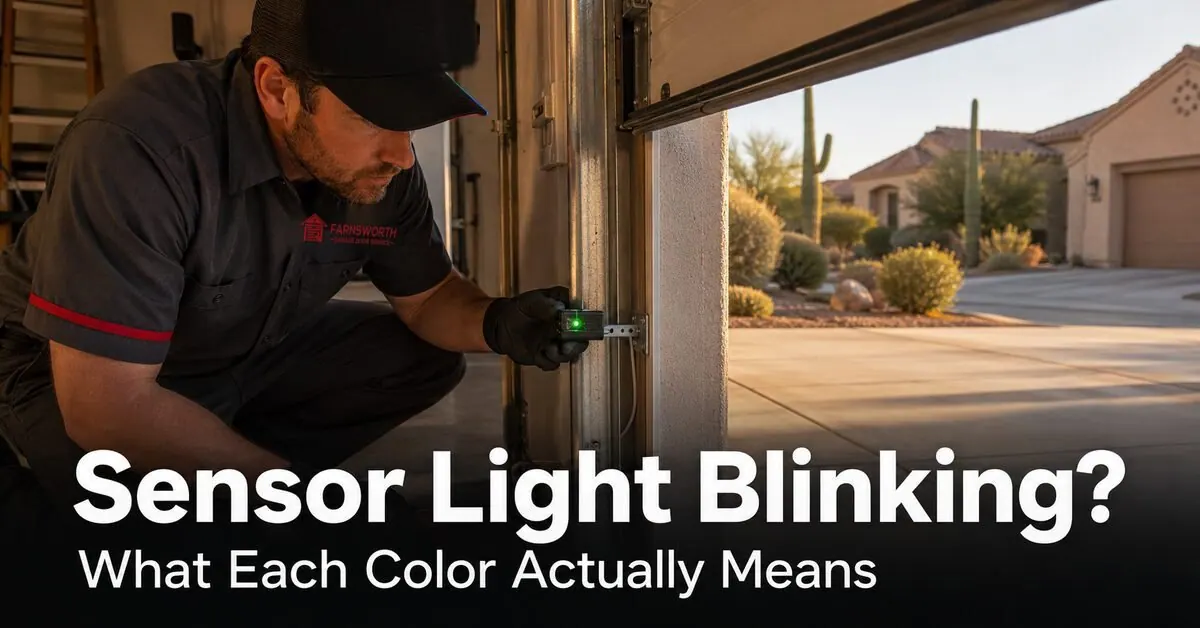
You press the wall button or the remote, the opener clicks like it wants to close, the motor light blinks a few times, and the door rolls right back up. You look down at the small plastic sensors a few inches off the floor and notice a tiny light blinking instead of glowing steady. That's the safety sensor pair telling you something is wrong — and refusing to let the door close until you fix it.
The good news: about three out of four "blinking sensor" calls we run across the East Valley get solved without a single new part — a careful realignment, a lens wipe, or a wiring tweak. The other quarter need a new sensor pair, usually because the originals cooked over a few Arizona summers or got hit by a monsoon power surge. This guide walks you through what each LED color and blink pattern actually means by brand, the seven most common causes we see in the field, and exactly what to do about each one.
How Garage Door Safety Sensors Work
Every modern residential garage door opener in the United States has a pair of small photo-eye sensors mounted about 4 to 6 inches off the floor on each side of the door opening. Federal law has required them on every opener sold since 1993. One sensor sends an invisible infrared beam across the doorway. The other receives it.
When both sensors are powered, properly aimed at each other, and the beam between them is clear, both LEDs glow steady and the opener is willing to close the door. Break the beam in any way — a backpack on the floor, a tipped-over broom, a misaligned bracket, a corroded wire — and the opener refuses to close, at least one LED switches from steady to blinking, and the motor head usually flashes its own diagnostic blink code on top of that.
The exact color of each LED depends on which brand of opener you have. The pattern of the blink — fast, slow, or steady — tells you whether the problem is alignment, wiring, power, or the sensor itself.
Sensor LED Color Guide by Brand
The two big residential brands — LiftMaster (and its identical retail twin Chamberlain, plus the Chamberlain-built Craftsman line) and Genie — use different colors. Knowing which color is the sender and which is the receiver is half the diagnosis.
| Opener brand | Sending sensor LED | Receiving sensor LED | Steady = OK |
|---|---|---|---|
| LiftMaster | Amber (older models) or red/orange (newer) | Green | Both LEDs solid, not flickering |
| Chamberlain | Amber | Green | Both LEDs solid |
| Craftsman (Chamberlain-built) | Amber | Green | Both LEDs solid |
| Genie (Safe-T-Beam) | Green | Red | Green solid; red solid when aligned |
| Linear, Sommer, Marantec, others | Usually green or amber | Usually green or red | Both LEDs solid (check brand manual) |
The rule of thumb across every brand: steady = good, blinking = bad, off = no power. Which one is blinking tells you which side of the system to start with.
The 7 Most Common Reasons Sensors Blink (in Arizona)
These are the calls we run all summer. Most of them you can solve with a clean cloth and a careful hand. A few of them need a tech.
1. Sensors got bumped or the bracket warped in the heat
Easily the most common cause. A garbage can, a soccer ball, a kid backing out of the garage on a scooter — anything that nudges a sensor an eighth of an inch is enough to break the beam. Add a few Arizona summers, and the thin metal sensor brackets slowly warp from heat cycles, and the alignment drifts on its own.
2. Dust or monsoon mud on the lens
The infrared beam is invisible to you, but a thin film of dust on either lens — the kind that builds up between monsoon rains here in the East Valley — is enough to scatter the beam and trigger a false blocked-beam signal. Same goes for splatter from a sprinkler, spider webs, and the fine grit that blows in during haboobs.
3. Direct afternoon Arizona sun on the receiving sensor
This one is uniquely Arizona, and it fools a lot of homeowners. East- and west-facing garages get strong direct sun across the floor in the late afternoon. When that sunlight hits the receiving sensor's photodiode, it overwhelms the infrared signal coming from the sending unit and triggers a false beam-broken alarm. The tell is timing: fine in the morning, blinking and refusing to close right around 4 to 6 p.m., fine again after sundown.
4. Loose wire at the sensor terminal
The sensor wires run through a small staple-clamp terminal at the back of each sensor and a matching pair of screw terminals at the opener motor head. Vibration from years of door cycles, plus the occasional tug from a homeowner setting something heavy down nearby, loosens the connections. A wire that's lost continuity will make its sensor blink — even though the sensor itself is fine.
5. Wires crossed at the opener terminal
Every sensor has two wires — typically a solid white and a white-with-a-stripe. If they get swapped on one side (often after a DIY sensor replacement or a quick rodent-chew repair), both LEDs may blink together or refuse to light at all. The opener sees the crossed pair as a wiring fault and locks out the close cycle.
6. The sensor pair has reached the end of its life
Most parts of the country get 10 to 15 years out of a sensor pair. Arizona is closer to 7 to 10. Summer attic and garage temperatures stress the small circuit boards inside the housings, the lens gaskets dry out, and a monsoon power surge can finish off a pair that was already on the edge. The classic late-life symptom is intermittent: fine for a week, blinking on a 110-degree afternoon, working again the next morning.
7. Damaged wire in the run from sensor to opener
The sensor wires usually run up the door track, staple-fastened to the wall, and across the ceiling to the opener. Over the years they get nicked by stray staples, chewed by mice in the attic, soaked by a monsoon leak around the garage door header, or pinched by a sagging insulation batt. A break anywhere in the run knocks one or both sensors offline.
Quick-Reference Blink Pattern Table
Match what your sensor is doing to the most likely cause.
| What you see | Most likely cause | First thing to try |
|---|---|---|
| Receiver blinking, sender solid | Misalignment, dirty lens, sun glare, or obstruction in beam path | Wipe both lenses, then realign the receiving sensor |
| Sender blinking, receiver solid | Loose or shorted wire on the sending side | Re-seat the wires at the sender and at the opener terminal |
| Both LEDs blinking together | Wires crossed at the opener terminal | Swap the white and striped wires on one side and re-test |
| Both LEDs completely off | No power to the sensors — blown opener fuse, GFCI trip, or main wire fault | Check the GFCI outlet and the opener's small in-line fuse |
| Sensor LED flickers (not a clean blink) | Loose connection vibrating, or sensor at end of life | Tighten the bracket; if it persists, replace the pair |
| Opener motor head blinks 4–6 times after close attempt | Opener-side diagnostic code pointing to sensor wiring fault | Check sensor wiring; the code is your shortcut to the right side of the system |
How to Realign Your Sensors (4 Steps)
If the receiving LED is the one blinking and there's nothing physically in the way of the beam, alignment fixes it 70% of the time. Use a steady hand and watch the LED while you move the sensor.
- Wipe both lenses with a soft, dry microfiber cloth. Skip the glass cleaner — solvents can fog the plastic.
- Loosen the wing nut on the receiving sensor bracket. Just enough that the sensor pivots freely, not enough that it falls.
- Aim the receiver slowly side-to-side and up-and-down until the LED stops blinking and glows steady. The moment it goes solid, hold it still.
- Re-tighten the wing nut without moving the sensor. Then close the door from the wall button and confirm the safety reverse still works by waving a broom in the path.
If the LED won't go steady no matter how slowly you aim, the bracket is warped, a wire is loose, or the sensor itself has failed — that's our call.
When to Stop and Call a Tech
Most sensor issues are safe to handle yourself, but a few signs mean it's time to put the wing nut down and pick up the phone.
- Both LEDs are dead even after checking the GFCI and the opener fuse. The issue is likely on the opener board or in the wall wiring.
- The receiving LED stays blinking after a careful realignment and lens wipe — the sensor or the wire run between sensor and opener has failed.
- Visible damage on either sensor — cracked lens, water inside the housing, scorch marks on the case. The pair needs replacement, and the sooner the better.
- The motor head flashes the same diagnostic code every time you press close, even with both sensor LEDs steady. That's a board-side fault dressed up to look like a sensor issue.
- The door starts to close, then reverses a second later — even with sensors apparently fine. See our deeper diagnostic on door reverse symptoms and related opener issues, or call us for a same-day visit.
Bypassing the sensors with a jumper wire — the trick you'll find in shady online tutorials — is never the right answer. The sensors are the only thing standing between a closing door and a child or pet in the path. If they're not working, fix them, don't disable them.
Why East Valley Homeowners Call Farnsworth for Sensor Issues
Farnsworth Garage Door Service was founded by brothers Brigham and Riley Farnsworth. The Farnsworth name has 60+ years of business behind it across the East Valley — R&K, Farnsworth Wholesale, Farnsworth Realty — and we run this company the way our family ran the ones before it: real diagnosis, written quotes, and a door that works when we leave.
- Stocked for sensor work. LiftMaster, Chamberlain, Craftsman, and Genie sensor pairs ride on the truck — so most sensor calls finish on the first visit.
- Same-day service is our standard, often within hours of your call.
- Itemized written quote before any work begins. The price you agree to is the price on the invoice.
- Local techs who know AZ heat patterns. Sun-glare diagnosis, bracket-warp re-bends, monsoon-surge sensor replacements — we run them every week.
- 5.0 stars on Google. Our neighbors trust us — and tell their neighbors.
Need a sensor diagnosed or replaced? Book a repair visit, ask about a full opener replacement, or see where we work across the East Valley.
Frequently Asked Questions
Why is my garage door sensor light blinking?
A blinking safety sensor LED means the photo-eye pair on each side of your garage door has lost a clean line of sight to each other, and the opener is refusing to close as a safety measure. The most common causes are misalignment (a sensor that got bumped or whose bracket warped in Arizona heat), a dirty lens, direct afternoon sun shining into the receiving sensor, a loose wire at the sensor terminal, or a sensor pair that has reached the end of its life. The blinking pattern and which color is blinking tell you which one.
What does a blinking green sensor LED mean on a LiftMaster?
On a LiftMaster, Chamberlain, or Craftsman opener, the green LED is the receiving sensor. When it blinks, the receiver isn't seeing the infrared beam from the amber sending sensor. That happens because the two sensors aren't aimed at each other, something is blocking the beam, the receiving lens is dirty, direct sun is washing it out, or the wire to the receiver is loose or damaged. Start with alignment and a lens wipe — that fixes the majority of cases.
Why are both garage door sensor lights blinking at the same time?
When both LEDs blink together rather than one staying steady, the wires at the opener terminal are usually crossed — the white and white-with-stripe wires from one or both sensors have been swapped. This happens most often after a recent DIY repair, a sensor replacement done quickly, or a rodent chew that was patched in a hurry. Pull the wires from the opener's sensor terminal, identify the striped wire on each side, re-land them in the correct slots, and the lights should go solid.
Can Arizona sunlight cause garage door sensors to blink?
Yes — and it's one of the most common reasons our techs get called out for a sensor problem that has nothing wrong with the sensor itself. East Valley homes facing east or west get strong direct sun across the garage floor in the late afternoon. That sunlight overwhelms the receiving sensor's photodiode and triggers a false beam-broken signal. You'll usually see it the same way every day — fine in the morning, blinking around 4 to 6 p.m. A simple sun shield (a small piece of cardboard, a 3D-printed shade, or repositioning the sensor an inch lower) fixes it permanently.
How do I realign my garage door safety sensors?
Wipe both lenses with a soft dry cloth first. Then loosen the wing nut on one sensor bracket, tilt the sensor slowly until the receiving LED goes from blinking to steady, and tighten the wing nut without moving the sensor. Repeat on the other side if needed. Test cycle the door two or three times with the safety reverse working. If the LED won't go steady no matter how slowly you aim, the bracket may have warped or a wire connection may be loose — that's when we usually get called.
How long do garage door safety sensors last in Arizona?
In most parts of the country, safety sensors last 10 to 15 years. In Arizona, plan on closer to 7 to 10. Summer heat radiating off a concrete driveway and a closed garage door cooks the sensor housings, dries out the lens gaskets, and stresses the small circuit boards inside. Monsoon power surges shorten their lives further if the opener isn't on a surge-protected outlet. When a sensor pair starts having intermittent symptoms — fine most days, blinking on hot afternoons, working again after sundown — that's usually a sign it's nearing the end.
Should I bypass my garage door safety sensors if they keep blinking?
No — and any video online showing you how to jumper out the sensors should be ignored. The photo-eye pair is the only thing that stops a garage door from closing on a child, a pet, or a car bumper. Federal law has required them on every residential garage door opener sold in the United States since 1993 for exactly this reason. If your sensors keep blinking and you can't get them to align, hold down the wall-button to close the door manually for the short term (the door will stop the moment you let go), and call a tech to diagnose the real cause. Bypassing the sensors is never the right answer.

Sensor Still Blinking? We'll Diagnose It Today.
Licensed, insured, locally owned. Written, itemized quote before any work starts. Same-day service across the East Valley.